Data Only Monthly Prepaid Plan “BOLT”
Home » Rental Services for U.S. » Data Only Monthly Prepaid Plan “BOLT”
Data Only Monthly Prepaid Plan “BOLT”
Stay Connected with Your Tablet, iPad, Smartphone, & More
- Keeps Internet Connections at up to 4G LTE Speeds On-the-Go
- Stream Data on a Conveniently Transportable Device for up to 10 Hours
- Share the Connection with up to 10 Wi-Fi Enabled Devices
| Plan | $25 | $50 | $70 | $90 |
|---|---|---|---|---|
| 4G LTE | 2GB | 5GB | 7GB | 10GB |
| 2G Speed | 2GB | 5GB | 7GB | 10GB |
| Period | 10 Days | 30 Days | 30 Days | 30 Days |
Easy Activation!
- No SSN, credit history, or security deposit required. All you need is credit / debit card (cash payment available upon request)
- No annual contract or early termination fee.
- Set up automatic payment for your convenience.
- Bring your own tablet or Wi-Fi router *
*BOLT compatible network frequencies:
3G GSM (850/1900 MHz)
LTE GSM (Band 2/1900 MHz, Band 4/1700 MHz,Band 5/800MHz and Band 17/ 700 MHz)
3-IN-1 (Nano, Micro & Standard) BOLT SMART SIM
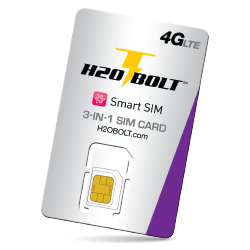
Price: $9.99 + tax
- Purchase with BOLT “UNITE” or Bring Your Tablet, iPad, Smartphone, and other SIM capable smart devices.
- Fast and Easy Setup for Configuration.
- Interchangeable between compatible devices.
・Activates SIM compatible devices
Support devices with the following frequencies: 3G GSM (850/1900 MHz), LTE GSM (Band 2/1900 MHz, Band 4/1700 MHz,Band 5/800MHz and Band 17/ 700 MHz)
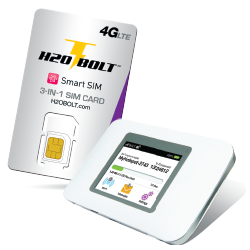
BOLT UNITE 4G LTE
(Wi-Fi device only)

Price: $99.00 + tax
- 2.4” LCD touch screen makes it easier to manage settings
- Connect up to 10 Wi-Fi enabled devices through a secure network at up to 4G LTE Internet speeds
- 2500 mAh Li-Ion battery keeps your device powered for up to 10 hours
- Conveniently transportable size and weight (4.33x2.72x0.6” and 4.2 oz) allows you to stay connected on-the-go
- Includes USB cable, wall charger, battery, and user guide
テザリングはWiFi Hotspot機にSIMカードを挿入した時のみ可能です。スマートフォン、タブレットにSIMカードを挿入した際はテザリングが出来かねますのでご注意ください。
Device Configuration
Before you can begin to enjoy Bolt’s amazing service, make sure your Tablet or Smartphone is properly configured.
Please configure your device with the following settings:
- On your device, go to mobile networks
- Select New APN
- Name: BOLT
- APN: Prodata
- Make sure to select the Bolt APN (access point name) as your default profile
Once complete, you should see the 4G LTE icon pop up on the top right of your device.
If the icon does not appear, power cycle (turn off/on) your device.
If you encounter any issues, feel free to contact our customer service department at Japan Wireless Torrance or San Diego.